


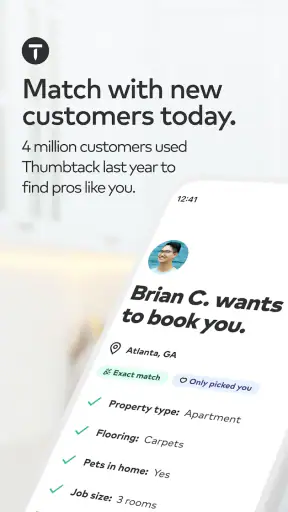
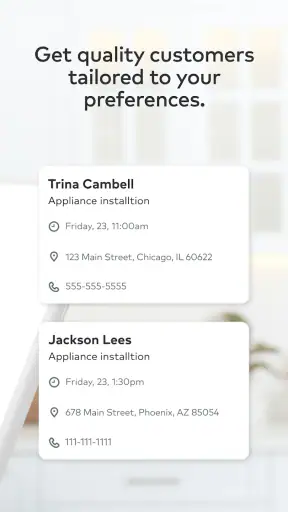
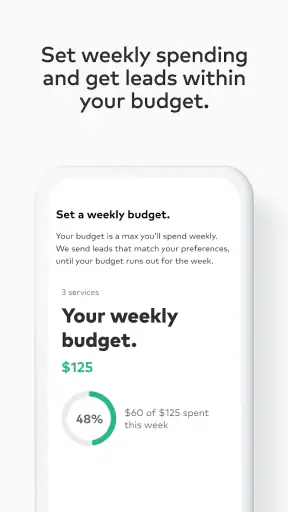
If you run a local service business, getting in front of the right customers can be harder than doing the work itself. Thumbtack for Professionals is built around that problem. It is a free business app from Thumbtack that helps professionals find potential customers and turn those opportunities into jobs. I see it as a practical lead-generation tool rather than a complete replacement for your calendar, invoicing system, or customer relationship software.
My first impression is that the app makes the most sense for people who sell services directly: cleaners, photographers, tutors, handymen, movers, event professionals, beauty specialists, and similar independent workers. You create a professional presence, identify the services you offer, and respond to people looking for help. That sounds simple, but the quality of the experience depends heavily on how clearly you define your work and how quickly you handle inquiries.
The most important mindset is to treat Thumbtack as a source of opportunities, not a guaranteed stream of bookings. Some requests will fit your schedule and skills perfectly. Others will be too far away, too vague, or outside the kind of work you actually want. Learning to filter those situations is part of using the app well.
What to expect when you open the app
Thumbtack for Professionals belongs in the business category, but it feels more like a working marketplace than a traditional office app. Its purpose is to connect your services with people who are actively trying to hire someone. That makes the app useful when you need new business, especially if you do not already have a strong referral network or a steady flow of repeat customers.
The app is free to install, and its content rating is Everyone, so the basic entry point is approachable. The current version is 457.0, and it requires Android 9 or later. Those details matter if you are using an older phone for work, because a device that cannot meet the operating-system requirement will prevent you from getting started even if the business itself is a good fit.
Thumbtack has a sizeable presence, with more than a million installs, but the average rating sits at 3.2 from roughly twenty-five thousand ratings. I would read that as a sign to keep expectations realistic. The app clearly serves a substantial professional audience, yet marketplace apps can feel very different depending on your location, service, pricing, availability, and the number of competing professionals nearby.
In daily use, I would expect to spend time reviewing potential requests, deciding which ones are worth pursuing, and writing replies that show I understood the customer’s needs. The app is not at its best when treated like a button that automatically produces work. It rewards careful positioning and consistent follow-up.
Who will get the most from it
Thumbtack is especially appealing if you are self-employed, work locally, or offer a service that customers commonly compare before hiring. It can help a new professional establish visibility while building a portfolio and collecting experience. It can also supplement referrals for an established business during quieter periods.
I would be more cautious if your work is highly specialized, sold only to large organizations, or dependent on long-term contracts. In those cases, direct outreach, industry networks, a professional website, or a dedicated sales process may produce better results. The app is designed around people looking for service providers, not around complex business-to-business procurement.
It is also less suitable for someone who cannot respond promptly. A customer who is comparing several professionals may move on if your answer arrives much later. You do not need to be available every minute, but you should decide when you will check requests and make that routine part of your workday.
Setting up a profile that can actually win work
The first setup deserves more attention than a quick registration. Your profile is not just an online business card; it helps determine whether a customer understands what you do and whether the request looks like a good match. I would begin with a narrow, honest description of your main services instead of trying to claim every possible job.
For example, a photographer may get better conversations by clearly separating family sessions, headshots, and event work rather than presenting a vague promise to photograph anything. A cleaner should think about the types of homes, spaces, or occasions they prefer. Specific wording helps customers recognize the fit before they contact you.
Use examples that answer the questions a customer is likely to have. Explain what kind of result you provide, which details affect the quote, and what information you need before accepting a job. This reduces back-and-forth and helps discourage requests that were never suitable for your business.
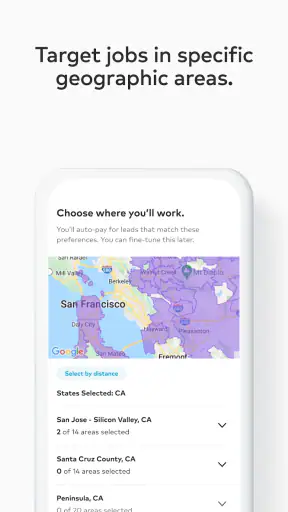
Your service area needs the same care. A wide area may expose you to more requests, but it can also create wasted time, travel costs, and awkward conversations about distance. A smaller area can mean fewer opportunities while making each potential job more practical. I would choose the area I can reliably serve, not the largest one the app allows me to imagine.
Photos are another important part of the first impression. They should show the kind of work you want to repeat. A mixed collection can confuse customers: if half the examples represent work you no longer offer, people may contact you for the wrong reason. I would rather show fewer relevant examples than fill the profile with unrelated projects.
A useful setup habit: write your reply before you need it
One of the most useful workflows is preparing a flexible response template in advance. I would not copy and paste the exact same message to everyone, because customers can tell when a reply ignores their request. Instead, prepare a short opening, a few questions, and a clear next step.
A good structure might acknowledge the specific service, mention the information needed to estimate the job, and invite the customer to continue the conversation. For a home service, that could mean asking about the size and condition of the space. For tutoring, it might mean asking about the subject, level, and goal. For an event service, the date, location, and type of event may be essential.
This approach saves time without making your replies feel automated. It also prevents a common mistake: answering with a generic “I can help” and leaving the customer to do all the work of explaining what happens next.
Be deliberate about the work you accept
During setup, I would define personal boundaries before the first request arrives. Decide which job sizes are worthwhile, how far you are willing to travel, which days are unavailable, and which services you do not want to provide. This is more than an efficiency trick. It protects your time and helps you avoid agreeing to work that creates a poor customer experience.
There is a trade-off here. A very narrow profile may reduce mismatched requests, but an overly narrow one can make it harder for new customers to discover you. I would start with the services I can deliver confidently, then adjust based on the kinds of requests I actually receive rather than guessing what the market wants.
Getting to the first meaningful action
The first successful action is not necessarily winning a large contract. For a new user, I would define it as finding a relevant opportunity, responding clearly, and moving the conversation toward a realistic decision. That gives you a useful test of whether your profile, service area, and availability are aligned.
When reviewing a request, read it as if you were already planning the job. Look for the service needed, location, timing, scope, and any detail that could change the amount of work. If the request is too vague, ask a focused question instead of immediately promising a result. A quick, thoughtful clarification can make you appear more professional than an instant quote that later has to change.
For your first reply, lead with relevance. Mention the part of the request that matches your experience, then explain what you would need to confirm. Keep the message friendly and direct. Customers usually do not need a long biography at this stage; they need confidence that you understood what they are asking for.
I would also avoid racing to be the cheapest option. Price matters, but a low figure without context can attract customers whose expectations do not match the job. A better reply explains what affects the cost and what the customer receives. If you do not yet know enough to quote accurately, say what information is missing and why it matters.
A realistic first-use scenario
Imagine that you offer apartment cleaning and install the app during a slow week. After completing your profile, you receive a request from someone preparing a home for guests. The request mentions a location and a general cleaning need but does not explain the size of the apartment or whether the kitchen and bathrooms require deep cleaning.
Instead of replying with a firm price based on assumptions, you could acknowledge the timing, confirm that this type of cleaning is within your service, and ask for the apartment size plus a short description of the condition. You can then explain when you are available and what details would be included in the estimate. That response does three jobs at once: it shows attention, protects you from underpricing, and gives the customer a clear way to continue.
If the customer answers, you have reached a meaningful early success even before the booking is final. You now know whether the request fits your schedule and whether the conversation is moving in a workable direction. If the customer disappears, you have still learned that the original request needed more information than it contained.
Turn the first conversation into a repeatable process
After each interaction, make a quick note outside the app about what happened. Record the kind of request, the questions customers ask, and the reasons a job did or did not move forward. This helps you improve your profile language and reply templates based on actual conversations rather than assumptions.
One non-obvious benefit of this habit is that it reveals where your profile may be creating confusion. If several people ask whether you serve a certain area, offer a particular type of appointment, or include a specific task, the answer may belong in your profile. Clearer information can reduce unnecessary messages and make serious inquiries easier to identify.
Where new users commonly get confused
The biggest confusion is often the difference between a customer request and a confirmed job. A request signals interest, not a guaranteed appointment. You still need to understand the work, agree on the practical details, and decide whether the opportunity is right for you.
Another source of friction is the temptation to respond to everything. More replies do not automatically mean better results. If a request is outside your service area or asks for work you cannot deliver well, spending time on it may hurt more than help. Selectivity is especially important for solo professionals who are also doing the actual work.
Customers may also describe the same service in very different ways. One person’s “basic cleaning” can be another person’s deep clean. A “small repair” may involve materials, access problems, or several separate tasks. Do not rely only on the label attached to a request. Ask about the outcome the customer wants and the conditions that affect delivery.
Pricing can create tension as well. A customer may want a quick number, while you need more information to avoid an inaccurate quote. I find that explaining the reason for a question is helpful. Saying that the size, condition, or travel distance affects the estimate feels more useful than simply asking for more details without context.
Do not confuse marketplace visibility with business ownership
Thumbtack can help people discover you, but your long-term business should not depend on a single marketplace. Keep your own records of customers, appointments, expenses, and follow-up tasks in tools that suit your workflow. The app can be the place where a relationship begins, while your broader business process remains organized elsewhere.
This is also where Thumbtack differs from alternatives. A personal website gives you more control over branding and customer education, but you must attract visitors yourself. Referrals often bring warmer leads and more trust, but they can be unpredictable. Social media can display your work effectively, yet turning attention into a serious inquiry may require more effort. Thumbtack’s advantage is that it places you closer to people who are already looking for a provider; its trade-off is that you are competing in the same marketplace and have less control over the surrounding experience.
For scheduling, accounting, contracts, and detailed customer management, dedicated business software is usually stronger. Those tools may require more setup, but they are designed for running the job after the lead arrives. I would use Thumbtack to support the front end of customer acquisition, not to replace every other business tool.
Making the next step more productive
Once you have handled the first few requests, review the pattern instead of simply trying to answer faster. Which services attract the best-fit customers? Which requests repeatedly waste time? Are people asking questions that your profile should answer? These observations can guide small changes with a bigger effect than adding more general wording.
Try refining one part of your presentation at a time. You might clarify the service description, reorganize the examples of your work, or narrow the area you serve. Changing everything at once makes it difficult to know what helped. A measured approach lets you connect improvements with the quality of conversations you receive.
Response quality matters more than length. I would aim for a message that is fast enough to be useful, personal enough to show attention, and specific enough to move the customer forward. If your work requires a consultation, explain what that conversation will cover. If you can provide an estimate after receiving certain details, list those details plainly.
Another practical tip is to protect your calendar from optimistic promises. When a request looks promising, it is easy to imply availability before checking your existing commitments. Confirm the timing before presenting a job as ready to book. This avoids a preventable disappointment and makes your communication more reliable.
New professionals should also give themselves time to learn which opportunities are genuinely worthwhile. A job that looks attractive may become unprofitable after travel, preparation, materials, or unpaid communication are considered. Use early conversations to understand the real workload. That knowledge will help you choose better requests and explain your pricing with more confidence.
Is it worth installing?
I would recommend Thumbtack for Professionals to independent service providers who want another way to find local customers and are prepared to manage leads actively. It is a sensible starting point if you have a clear service, examples of your work, and enough flexibility to respond thoughtfully.
I would skip it, or at least avoid relying on it heavily, if you dislike competitive marketplaces, cannot keep your availability current, or need highly structured business management. It is also not the best first choice for work that depends on a small number of specialized corporate clients rather than individual service buyers.
Thumbtack is free to download and developed by Thumbtack, which makes trying the basic experience relatively low-risk from an installation standpoint. The real investment is your time: building a precise profile, reviewing opportunities, asking useful questions, and following through consistently. The app’s 3.2 average rating suggests that experiences vary, so I would judge it by the relevance of requests in your area rather than assuming it will perform the same for every profession.
My final view is that this is a useful customer-finding channel when used with discipline. The strongest results are likely to come from professionals who know exactly what they offer, set sensible boundaries, and treat every inquiry as a qualification conversation. If you approach it that way, Thumbtack can help you reach people you might not find through referrals alone. If you expect the app to fill your calendar without careful replies and business judgment, it will probably feel much less rewarding.


